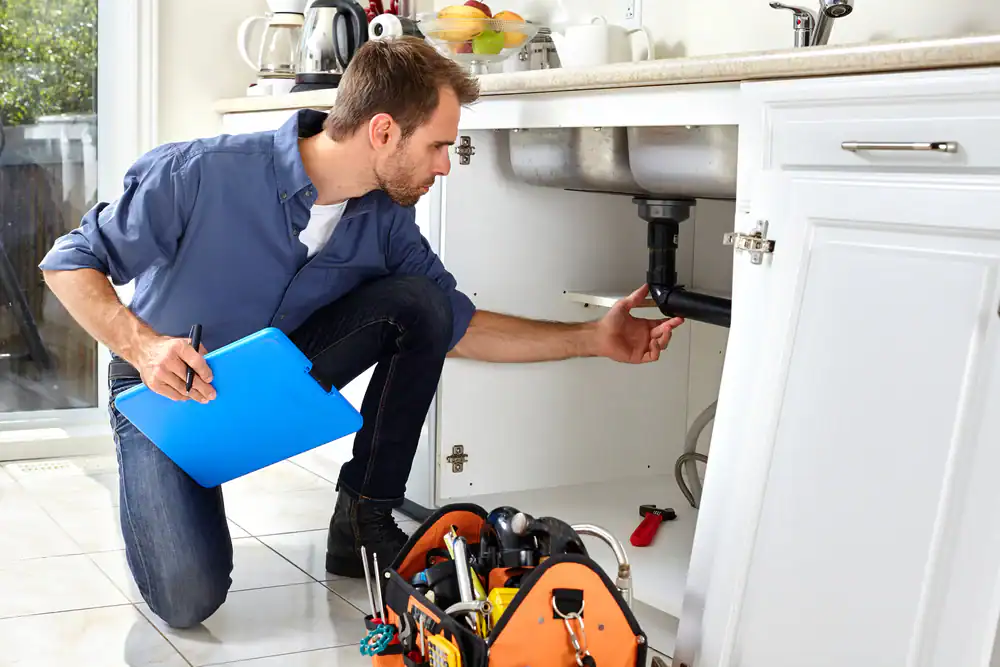
High-performing plumbing websites organize content into clear service categories with dedicated pages, creating a logical structure that helps Google match the right service to the right search.
When it comes to local service businesses, plumbing companies face fierce competition for visibility in search results. Whether a homeowner has a burst pipe at 2 AM or needs a water heater replacement, they turn to Google first. The plumbing companies that show up in those critical moments win the job.
What Top-Ranking Plumbing Sites Have in Common
High-performing plumbing websites organize content into clear service categories with dedicated pages, creating a logical structure that helps Google match the right service to the right search.
Core services appear in the main navigation for easy access, while a central services hub links to individual service pages to help Google discover and prioritize key revenue-generating content.
These websites are built to generate leads, with prominent phone numbers, clear “Get Quote” buttons, and fast contact options that improve engagement and signal relevance to Google.
On-Page Elements That Drive Rankings
Successful plumbing websites use simple, clear service names that match how people search, naturally targeting “service + location” queries without keyword stuffing.
Top plumbing sites clearly highlight their service areas—city, county, or region—on key pages, reinforcing local relevance for both organic search and map results.
Top plumbing sites display trust signals like years in business, licensing credentials, and customer reviews to build credibility and strengthen their authority in search results.
Many plumbing websites expand beyond service pages with blogs, FAQs, and “Areas Served” content to build authority and capture additional long-tail search traffic.
Before touching the website, document your “business truth.” This means recording your exact business name as it appears on your Google Business Profile, your primary phone number (one number only), your address or service area designation, operating hours, the complete list of cities and zip codes you serve, your core 8-15 revenue services, and whether you offer emergency or 24/7 service.
This becomes your NAP Master document—the single source of truth used everywhere online.
Create a simple grid mapping services to locations. For each service like drain cleaning or water heater repair, identify the primary “money term” keyword, supporting keyword variants, your primary target city, and secondary cities you serve. The critical rule: one primary keyword target per page. No page should compete with another for the same term.
Examine 3-5 competitors appearing in the map pack and organic results. Note which service pages they’ve created, whether they have city-specific pages, what trust elements they display (licenses, guarantees, review counts), and whether they include FAQs and financing information. This reveals the “must-have” pages and features for your market.
A minimum viable plumbing SEO site needs these pages: a homepage, a services hub page, 8-15 individual service detail pages, a service areas hub, 5-30 city pages (only for locations you legitimately serve), an about page, a reviews or testimonials page, a contact page, and ideally a blog or resources section. If you offer emergency services, financing, or coupons, those deserve dedicated pages too.
URL structure should be simple and consistent. Services live at /services/drain-cleaning/ and /services/water-heater-repair/. City pages live at /service-areas/city-name/. No complicated paths, no unnecessary subdirectories, no technical debris in URLs.
Think of your site as a cluster with the homepage at the center. The homepage links to top services and top city pages. The services hub links to every individual service page. Each service page links contextually to 2-4 related services, to the service areas hub and 3-6 key city pages, and to the contact page. City pages link back to your top 3-6 services, the reviews page, and contact page.
The goal is simple: every money page should be reachable within three clicks from any other page on the site.
Every service page should follow a consistent structure. Start with an H1 that includes the service keyword and your city or state. Follow with a 50-120 word introduction that frames the problem, presents your solution, and mentions the location naturally.
From there, include sections covering signs the customer needs this service, how your team performs the work, why customers should choose you over competitors, pricing guidance (ranges or factors that affect cost), 3-8 frequently asked questions, natural service area mentions, and clear calls to action for calling or filling out a form.
The technical checklist for each service page: title tag formatted as “Service Keyword | Company Name,” meta description under 160 characters including service, city, and a call to action, one H1 only, logical H2 subheadings without keyword stuffing, 1-2 internal links per major section, and descriptive alt text on all images.
City pages require special care to avoid looking like thin, duplicated content. The H1 should read “Plumber in [City], [State].” Include a short introduction explaining who you are and what you do in that specific area. List services offered in that city with brief descriptions and links to full service pages.
What separates good city pages from spammy ones is local proof. Include reviews from customers in that area, photos from actual jobs you’ve completed there, and discussion of common plumbing issues specific to that location. Add FAQs relevant to serving that city and a clear call to action.
The cardinal rule: don’t clone 30 pages with only the city name swapped. Only create city pages for places you genuinely serve, and make each one unique with real differentiators—neighborhoods you work in, local references, actual project examples, and authentic photos.
Your homepage serves dual duty: ranking for broad terms and converting visitors who land there. Include a primary headline positioning you as a plumbing company in your main service area. Feature 4-8 main service tiles with links. If you offer emergency service, make it prominent.
Build a trust block showing you’re licensed and insured, how many years you’ve been in business, any warranties or guarantees you offer, and your review rating (if it’s strong). Add a service area mini-grid with links to city pages, a testimonials snippet, and repeat your call to action for calling and scheduling throughout the page.
Your website and Google Business Profile must match exactly. Same business name format. Same primary phone number. Same address or service area logic. Same operating hours. The services and categories on your GBP should reflect what’s on your website. Inconsistencies create confusion for both Google and potential customers.
Build or clean up listings with your exact NAP information on Google, Apple Maps, Bing Places, Yelp, Angi, Nextdoor (where relevant), Better Business Bureau (if you’re a member), and major data aggregators in your region. Consistency matters more than quantity—having your information correct across 20 authoritative sites beats having it wrong across 100.
Build a systematic review request flow. After completing jobs, make it easy for happy customers to leave feedback. Display reviews prominently on your website through a dedicated testimonials or reviews page. Embed a link to your Google Business Profile review form in your email and SMS follow-up sequences.
Critically, respond to reviews—both positive and negative. This demonstrates active management and builds trust. Reviews influence both conversion rates and local search rankings.
Not all blog content performs equally for plumbers. Focus on topics that support your money pages: cost-focused posts like “Water Heater Replacement Cost in [City],” symptom-focused posts like “Signs You Need Drain Cleaning,” prevention content like “How to Prevent Frozen Pipes,” comparison content like “Emergency Plumber vs. Regular Plumbing Service,” and local-specific posts like “Common Sewer Issues in [Your Area].”
Each blog post should link naturally to the related service page, your contact page, and relevant city pages where appropriate.
SEO isn’t a one-time project. Every month, check Google Search Console for pages losing impressions, queries driving traffic that you’re not explicitly targeting, and any indexing errors that have appeared.
Update your top 5 money pages regularly. Add new FAQs based on customer questions. Include fresh photos from recent jobs. Improve introductions and calls to action. Add 2-3 new internal links where they fit naturally.
Add 1-2 new city pages per month, but only if you can make them genuinely unique. Add 2-4 new blog posts maximum—quality matters far more than volume.
Download to Learn More About Our Processes!